PHP released urgent security updates on 21 October 2026 to address two critical vulnerabilities: CVE-2026-109618 and CVE-2026-109619. These issues can allow unauthenticated remote code execution, making them an immediate concern for businesses running PHP websites and applications.
If your website uses Laravel, WordPress, or a custom PHP system, the first task is to check the PHP runtime serving your website. Updating a theme, plugin, Composer package, or application controller does not replace the required PHP security update.
This guide explains the vulnerabilities in plain language and provides a practical workflow for checking your environment, applying updates, and verifying your website afterwards.
What happened in the October 2026 PHP security update?
The PHP project published fixes for two vulnerabilities involving internal request handling and memory management. An unauthenticated attacker does not necessarily need a website account to reach an affected request-handling path.
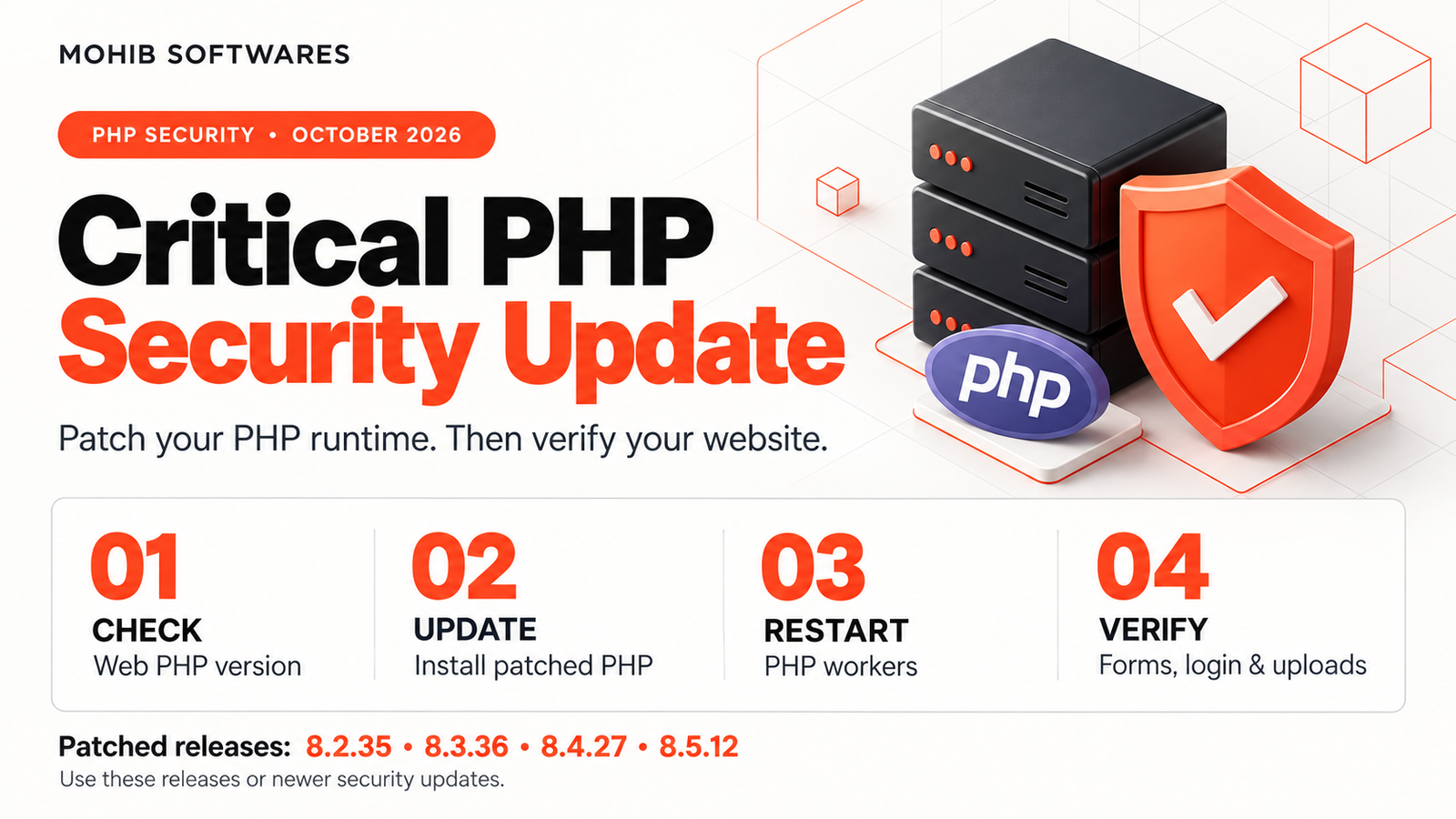
The patched upstream releases are:
PHP branchOctober 2026 patched releasePHP 8.28.2.35PHP 8.38.3.36PHP 8.48.4.27PHP 8.58.5.12
Install the listed release for your branch or a newer security release. If your operating system vendor backports security fixes, check its advisory and package revision rather than judging protection from the upstream version number alone.
Official release information: PHP security advisory and release announcements.
What are the two vulnerabilities?
CVE-2026-109618: Out-of-memory corruption
This vulnerability involves PHP handling a memory allocation failure while internal request data is incompletely initialised. During request cleanup, PHP can use that invalid state in an unsafe way.
The advisory describes paths involving request processing, including multipart data. With Apache mod_php, a demonstrated attack can reach the vulnerable condition before application code executes. Consequently, adding validation inside a PHP controller cannot reliably prevent that path.
Technical reference: PHP advisory for CVE-2026-109618.
CVE-2026-109619: Stale global state
The second vulnerability involves internal state retaining references to memory belonging to an earlier request. If a worker later uses that state after the memory has been freed, it can create an unsafe condition.
This concerns PHP’s internal lifecycle rather than an ordinary mistake in a website’s form or database query. Application hardening remains useful, but the runtime needs its security fix.
Technical reference: PHP advisory for CVE-2026-109619.
Which websites should check their PHP installation?
The PHP advisory identifies installations serving web requests, including PHP-FPM, Apache mod_php, php-cgi, FrankenPHP, and LiteSpeed. Switching frameworks or assuming that a particular web server is unaffected is not an adequate response.
Website owners should ask their hosting provider to confirm the patch status of the runtime actually serving each domain. For agencies, that means checking client websites individually, including staging sites and forgotten subdomains.
A website appearing to work normally does not establish that its PHP installation is patched.
Step 1: Identify the PHP runtime you are using
Start with these read-only commands if you have terminal access:
php -v
php --ini
php -m
These show the command-line PHP version, configuration locations, and loaded extensions. Record the results before changing the installation so that you can compare them afterwards.
However, command-line PHP and website PHP can be different installations. A server may have several versions installed, with a domain assigned to a separate PHP-FPM pool or hosting configuration.
Check the website runtime through your hosting control panel or an authenticated administrator-only diagnostic tool. Avoid leaving a public phpinfo page online, because it exposes unnecessary configuration information.
For vendor-maintained packages, record the complete package version and the vendor advisory confirming the fix.
Step 2: Prepare a short, controlled update
Before installing packages, identify who manages the environment: your hosting provider, server administrator, deployment pipeline, or local development stack.
Create a current backup of application files, configuration, and databases. Confirm how you would restore service if an extension or configuration problem appears. Keep this preparation focused so it does not become a reason to postpone an urgent patch.
Where practical, test the updated runtime against a staging copy. Check the PHP extensions your application requires and note any custom configuration settings that must be preserved.
An emergency patch within an existing supported branch usually has a narrower scope than a major PHP migration. Older applications may require both security remediation and compatibility work.
Step 3: Update PHP through your hosting provider
For shared or managed hosting, open the PHP management section for the affected domain. Select a patched runtime if available, then ask the provider to confirm that the October 2026 fixes are installed.
Do not assume that selecting “PHP 8.3” or “PHP 8.4” identifies the exact patched build. Request the complete runtime version or confirmation of the vendor’s backported security fix.
A useful hosting support message is:
“Please confirm that the PHP runtime serving my domain is patched for CVE-2026-109618 and CVE-2026-109619. Please provide the installed version or vendor package revision and confirm that affected workers have been restarted.”
Repeat this check for other domains using separate PHP configurations.
Step 4: Update self-managed servers and containers
On a self-managed server, use the security update procedure for your operating system and trusted package repository. Confirm that the repository actually provides the required fixes before installing packages.
There is no single package command suitable for every PHP server. Package names and service names differ between distributions, PHP branches, and hosting stacks.
After installation, restart or replace the affected PHP processes using your deployment procedure. Ensure that all web nodes and pools have received the update rather than leaving one older instance behind.
For containers, pull the patched base image, rebuild the application image, and redeploy it. Check the running containers afterwards; updating a Dockerfile alone does not change an existing container.
Step 5: Check Laravel and WordPress applications
For Laravel projects, patch the server runtime first. Then test login, sessions, uploads, database access, scheduled tasks, and queue processing. Verify that background processes use the intended PHP executable.
For WordPress, confirm the patched hosting runtime and test the administrator dashboard, forms, media uploads, and any WooCommerce checkout or account features in use.
Keep framework dependencies, WordPress core, plugins, and themes maintained as separate work. Those updates address their own issues; they do not install a PHP runtime patch.
Avoid combining the emergency runtime fix with an unrelated redesign or large dependency upgrade. Smaller changes make verification and troubleshooting easier.
Step 6: Update Windows development environments
Windows developers should check which PHP executable their terminal uses:
where.exe php
php -v
php --ini
If you use XAMPP or Laragon, the PHP running Apache may differ from the PHP found in your terminal. Verify both environments.
Use a compatible patched runtime or an updated stack package from a trusted source. Match the architecture, build type, and extensions required by your web server integration.
Back up your configuration before replacing files. Review custom settings instead of blindly copying an old php.ini over the new installation, then restart the relevant services and test your projects.
Can a php.ini setting completely fix these vulnerabilities?
The PHP project states that updating is the complete solution. Its advisory lists temporary measures that reduce particular attack paths, but these do not make an unpatched installation safe.
Do not copy isolated memory or upload settings from social media without understanding their limitations. For example, changing memory limits can affect availability and requires careful server-level planning.
If immediate patching is blocked, ask the responsible administrator to assess temporary access restrictions or isolation while arranging the update. Follow the current official advisory rather than treating a configuration workaround as permanent protection.
How to verify the update
Verification should cover both the installed software and the application’s behaviour:
Confirm the web runtime version or vendor package revision.
Confirm that affected workers and instances were replaced or restarted.
Check each domain, server node, and container in scope.
Test login, forms, uploads, and business-critical transactions.
Review application and server logs for new errors.
Record the patch date, installed build, and verification results.
Do not run a public exploit against your production website to prove that the update worked. Package verification and controlled functional checks provide a safer starting point.
If suspicious files, unexpected accounts, or other signs of compromise appear, preserve relevant logs and involve your security responder. Installing an update prevents the patched vulnerability from remaining available; it does not establish that earlier unauthorised access has been removed.
Frequently asked questions
Is this a Laravel coding bug?
The advisories concern PHP runtime vulnerabilities. Laravel applications still require their underlying PHP installation to be checked and patched.
Will updating WordPress fix the PHP runtime?
A normal WordPress update does not replace the server’s PHP installation. Confirm the runtime update separately with your host.
Is checking php -v enough?
It checks the PHP executable used by that terminal. Also verify the runtime serving your website and any vendor backport information.
What if my website uses an older PHP release?
Ask your vendor whether it supplies a supported security backport for these vulnerabilities. Otherwise, arrange migration to a supported patched runtime and test application compatibility.
Need help checking your PHP website?
Mohib Softwares can help review your PHP environment, plan a runtime update, and check essential Laravel or WordPress functionality afterwards. Share your hosting setup and application details so the update can be planned around your website’s requirements.
For examples of our work, visit the Mohib Softwares portfolio.